
Instructor: Tom Fragale
Product ID: 5344
Duration: 60 Min
Why should you attend
If you’re already using ChatGPT or Copilot—but feel like you’re only scratching the surface—this webinar will show you how to turn them into a true automation engine for everyday office work.
🎁EXCLUSIVE BONUS: Get 11,000+ AI Prompts!
Register for this session and receive an exclusive collection of 11,000+ ready-to-use AI prompts to help you work smarter, save time, and get more from AI tools
Description of the topic
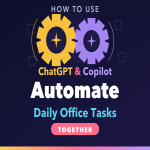
AI tools are powerful on their own—but when used together, ChatGPT and Microsoft Copilot can dramatically change how everyday office work gets done. This practical 1-hour webinar shows you how to combine these tools to automate routine tasks, reduce manual effort, and reclaim hours each week.
Rather than treating ChatGPT and Copilot as competing tools, you’ll learn how to use them as complementary assistants—leveraging ChatGPT for ideation, logic, and content creation, and Copilot for executing those ideas directly inside Microsoft 365.
This session focuses on real-world office workflows, not theory. You’ll see how professionals use AI to speed up Excel work, streamline email, improve documentation, prepare reports, and support decision-making—without technical skills or coding.
Areas Covered in the Session
What you’ll learn in this 1-hour session
- The strengths of ChatGPT vs. Microsoft Copilot—and when to use each
- How to design workflows that move seamlessly between ChatGPT and Copilot
- Automating repetitive Excel, Word, Outlook, and Teams tasks
- Creating prompts that produce consistent, reliable results
- Using AI to draft, summarize, analyze, and refine work faster
- Reducing errors and rework in daily administrative tasks
- Practical examples you can apply immediately
Who will benefit
- Business owners
- CEO’s / CFO’s / CTO’s
- Managers of all levels
- Administrators
- Salespeople
- Trainers
- Bankers
- Office Worker
- All Accounting professionals
- Accountants
- CPAs
- Controllers
- Financial Consultants
- IT Professionals
- Auditors
- Human Resource Personnel
- Bookkeepers
- Marketers
- Secretaries
- Anybody who uses Microsoft Access/Excel on a regular basis, and wants to be more efficient and productive
Instructor Profile

Tom Fragale – Microsoft Certified Trainer , Wiley-Published Author
Tom Fragale is a computer professional with over 40 years of experience in IT and 25+ years training professionals. He is a Microsoft Certified Trainer, a Microsoft Certified Office Master, and a Microsoft Certified Expert in Word and Excel, and a Microsoft Certified Specialist in Access, Outlook, and PowerPoint. He is also a Wiley-Published author, having written a book on Excel Pivot Tables. He has trained over 50,000 business people in on-line webinars, public seminars, and on-site training. In recent years his focus has expanded to live training on ChatGPT, Claude AI, Microsoft Copilot, and Power BI, helping professionals put AI tools to work in their day-to-day jobs.
His clients include many Fortune 500 companies, government agencies, military bases, and companies large and small across many industries, including insurance, manufacturing, banking, pharmaceutical, education, retail, etc. He started his career as a database application programmer and has served as a consultant and project manager on many successful projects. His topics of expertise include: ChatGPT, Claude AI, Microsoft Copilot, Power BI, Access, Excel, Word, PowerPoint, Outlook, Crystal Reports, SQL Server, Visio, QuickBooks, and SharePoint, among others.
His passion is training people and helping people get the most out of their computers and the latest AI tools, and he is a published author having written a book on Microsoft Access and a book on Excel Pivot Tables, which was published by Wiley Publishing. He graduated in 1988 from LaSalle University in Philadelphia, PA with a BA in Computer Science.
Price Details
Price Informations
Single Recorded: Access to the recorded version only is provided for one participant, with unlimited viewing for six (6) months.
The access details will be emailed within 24 hours after the live webinar concludes.
Corporate Recorded: Access to the recorded version only for up to four (4) participants, with unlimited viewing for six (6) months.
Access details will be emailed within 24 hours after the live webinar concludes.
